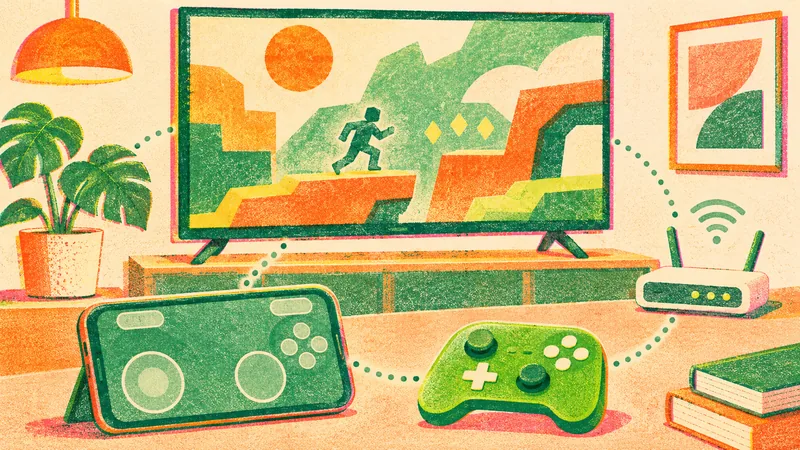
Xbox is previewing phone controls for cloud games on supported Smart TVs and a separate Wi-Fi connection mode for the Nano Controller. They solve different setup problems: the phone option helps when you do not have a physical controller nearby, while cloud connect changes how the Nano reaches a supported cloud session.
Check which preview you want before buying hardware or troubleshooting a missing option. The phone route and the Nano route have different setup conditions. Begin with your TV model and region, then follow the steps for that connection method.
Try the phone route on a supported television
The November 4 preview announcement says supported Android and iOS phones can act as controllers through their browser. Start in the latest supported Smart TV experience and enable Preview Features under Settings, then Account. Launching a game without a physical controller connected exposes the phone option where it is available.
Look for the on-screen connection instructions and use the displayed QR code. Some games have tailored controls, but that does not establish that every game in a library supports the same touch layout. Try one supported title before planning a longer session around phone controls.
If the option is missing, check the TV experience and rollout eligibility first. The preview is rolling out in countries supported by Xbox Cloud Gaming, with limited devices and games. Repeatedly pairing the phone as an ordinary Bluetooth gamepad is not the setup described by this browser-based preview.
Nano cloud connect is a separate US test
Cloud connect lets the Nano Controller use Wi-Fi to connect directly to the server running the game. The current preview is for US players on supported Smart TVs and the web. That regional restriction is narrower than the controller's retail availability.
The Nano hardware announcement describes a compact rechargeable controller with Xbox Wireless and Bluetooth as well. Buying the device in another country does not establish access to this particular US cloud-connect test. Check the mode you actually want to use before deciding the hardware solves your problem.
Xbox's earlier reveal post shows the device. It is hardware context, not an announcement of the later preview's region rules:
For cloud connect setup, Microsoft names the Xbox beta app on Android or the Xbox Accessories app on PC. Setup through the PC app requires Xbox Insider enrollment. Follow the app's Wi-Fi instructions, then sign into the supported cloud experience using the same Xbox account used during setup.
Keep game access separate from input support
A controller connection is only one part of starting a game. Check the account and game entitlement as well as whether your device supports the preview. A successful phone connection does not purchase a game or supply a subscription benefit your account does not have.
The November 5 experience update also introduces a refreshed cloud Library that brings together eligible owned and Game Pass games. Use its input and library filters to inspect the choices available to you. A game being in your wider collection does not, by itself, establish that you can launch it through cloud.
The same update expands display choices, including high-contrast options, as it reaches more players. Those navigation changes can make the experience easier to use without changing which subscription or input preview an account qualifies for. Check the game's launch option after selecting it, rather than treating a new Library screen as a new entitlement.
Test one route and report the exact problem
Microsoft says a direct Wi-Fi controller connection can help responsiveness. It provides no universal latency saving for your home network. Try a supported session and judge whether the controls behave acceptably on your own connection before relying on an advertised improvement.
If you report a problem, name the route: phone browser controls on a TV, or Nano cloud connect. Include the supported device model and whether the setup or the game launch failed. Those details describe different failure points and are more useful than a general report that a controller does not work.
The phone controller's feedback option is available from the Xbox icon after connecting. Nano feedback can be sent through the Accessories or mobile app. Use those official routes instead of sharing account credentials in a public support thread.
Our November Game Pass guide covers the month's library additions and plan restrictions. Test one preview with a game you can already access. That gives you a useful starting point before deciding whether to buy another controller.
Frequently asked questions
Can my phone control Xbox cloud games on a TV?
The preview supports selected Android or iOS phones through a browser on supported Smart TVs. Enable Preview Features and check availability.
Is Nano cloud connect available worldwide?
The announced cloud-connect preview is US-only on supported Smart TVs and the web.
Do I need Insider enrollment?
Microsoft specifically requires Xbox Insider enrollment for Nano cloud-connect setup through the PC Accessories app.
Does the connection option include games?
No. Check your account’s game access and cloud eligibility separately from controller support.