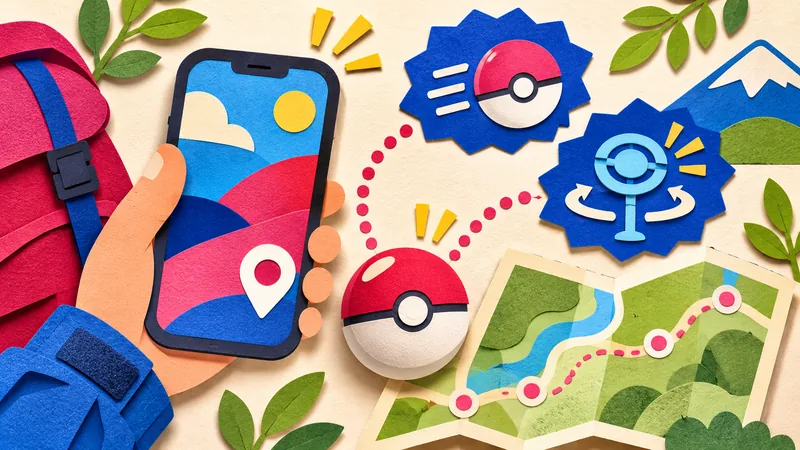
Pokémon GO is expanding the Explorer Gadget so it can attempt catches and spin PokéStops while you actively play. A pink icon shows what it is targeting, and you have a short opportunity to take over. The November 2 announcement also says a separate notice will follow when the updated feature is available globally, so an absent option does not mean your account is broken.
The Gadget is built into the game for Trainers at level 20 and above. You do not need to buy a physical accessory to use it. Daily limits and full storage can still interrupt a walk, even after your account receives the feature.
The pink icon gives you a chance to take over
The official update describes automatic attempts continuing with the game open. When the Gadget selects a Pokémon or PokéStop, a pink Poké Ball icon appears over that target on the map. Tap the target yourself if you want to handle that encounter or spin manually.
There is a limited override window after the icon appears. The announcement gives no duration in seconds, so avoid planning around a fixed countdown. If a particular catch matters to you, pay attention to the map rather than assuming the automatic attempt will wait indefinitely.
Attempts are not guaranteed catches. The feature also skips mighty Pokémon and species you have not registered in your Pokédex. You will still need to catch unfamiliar species and mighty Pokémon yourself.
Why the update might be missing from your account
Pokémon GO's November 2 social announcement distinguishes the announced changes from global availability. It promises another note once the updated feature is available globally. If the button is missing, check the rollout notice before reinstalling the game or changing account settings.
The original Explorer Gadget also entered a phased rollout. Its earlier announcement is useful context for that availability model; it does not establish that November's changes have reached every region or account.
Check regular Poké Balls and storage before a walk
The original feature guide says the Gadget uses regular Poké Balls, never Great Balls or Ultra Balls. Keeping a large supply of the stronger types will not substitute for the basic balls it needs. Look at that part of your bag before relying on automated catches.
There are daily catch and spin limits tied to Trainer level. The feature stops its activity for the day when it reaches those limits. No universal numeric allowance is given in the announcement, so your own Gadget display is more useful than a number repeated from another player's account.
Pokémon Storage and the Item Bag can each interrupt the relevant activity when full. The official Help Center describes alerts for storage or ball shortages. Check those alerts before assuming a quiet session is a rollout problem. You still need to explore while carrying the device for the Gadget to operate fully.
Choose between the Gadget and a paired accessory
A Pokémon GO Plus + can remain paired, but it cannot operate at the same time as the Explorer Gadget. If the map icon is missing because an accessory is paired, the guides direct you to Key Items in the Item Bag. The accessory must be inactive before using the built-in feature.
Switching deserves care: the original guide says moving to an accessory while the Gadget is active stops the Gadget and prevents using it again until the next day. Decide which option you want before repeatedly swapping during an event. Neither the November update nor its announcement removes that published restriction.
The update also puts a dedicated appraisal button on a Pokémon's summary page and makes catch summaries clearer. It also removes the special wild encounters previously triggered by visiting Power Spots or placing a Pokémon there after a Max Battle. Plan your Pokémon GO event sessions around the current encounter rules. For separate event rewards, our November GO Pass guide covers its progression and claim dates.
Frequently asked questions
Is the updated Explorer Gadget available worldwide?
The November 2 official post says another notice will announce global availability. Do not assume every account already has the update.
Does the Explorer Gadget use Ultra Balls?
No. The official guide says it uses regular Poké Balls, not Great Balls or Ultra Balls.
Can the Gadget and Pokémon GO Plus + run together?
No. A device may stay paired, but both cannot be active together. Switching from the Gadget to an accessory can prevent further Gadget use until the next day.